About Me
My hobbies are PSP.
I love helping my friends who are starting with PSP.
Any similarity or resemblance to any other tutorial is purely coincidental and unintentional. Pls do not recopy my tutorials anywhere. Many thanks Susan.


Credit
Blinkie created by Rabid Designz. She does some amazing work ! Thanks so much Melissa.

Blinkie created by my long time friend tweety here. Thanks so much my friend :)
My blog was designed By Alika's Scraps. Thanks so much. You did an amazing job !

Showing posts with label Awards. Show all posts
Showing posts with label Awards. Show all posts
Saturday, October 30, 2010
 October TART Award & May TART Award
7:54 PM | Posted by
Shal |
 Edit Post
Edit Post

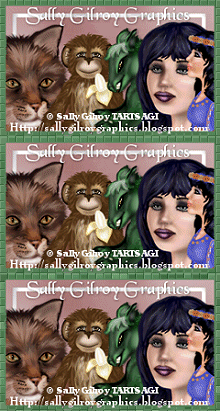
I am so happy that one of my tags was selected for a TART Award this month. There was some awesome entries and if you are interested in joining all the fun, you can do so at MyTagArt here.
Here is my chosen entry for this month. You can find all the other gorgeous selections on the MyTagArt blog here.
Here is my chosen entry for this month. You can find all the other gorgeous selections on the MyTagArt blog here.


I forgot to post this one hehe. One my tags was also selected for a TART Award in May.
Here is my chosen entry for this month. You can find all the other gorgeous selections on the MyTagArt blog here.
Here is my chosen entry for this month. You can find all the other gorgeous selections on the MyTagArt blog here.

 Labels:

Thursday, May 20, 2010
Along the Grapevine Tut
5:02 AM | Posted by
Shal |
Edit Post
Edit Post

Feel free to use my tutorial as a guide and have fun giving it your own spin.
This tutorial assumes you have a working knowledge of PSP.
Needed Supplies & Filters :
Tube of Choice .. I am using the work of Suzanne Woolcott which you must have a license to use. Please do not use her work without purchasing through here.
Scrap Kit of Choice .. I have used a gorgeous PTU Kit from Puddicat called Along the Grapevine which can be purchased here.
Template of Choice .. I have used template 99 by Missy which can be downloaded from her blog here.
Mask of Choice .. I haved used WSL_Mask105 Weescotslass which can be downloaded here.
Font of Choice .. Waterbrush ROB
Let's get started
Open your template in PSP. Delete credits and djust canvas size to 600x600. Floodfill bottom layer white.
New raster layer (above your bottom white layer). Select all, copy and paste into selection Paper 1. New mask layer from image, WSL_Mask105, invert mask data unchecked, and merge group. Layer duplicate and merge down. Resize 110%.
Select Circle layer, select all/float/defloat, copy and paste Paper 14, selections invert and hit delete. Select none and delete original Circle layer.
Add the following gradient glow and then drop shadow. I have used 2/2/40/4 throughout.
Open your template in PSP. Delete credits and djust canvas size to 600x600. Floodfill bottom layer white.
New raster layer (above your bottom white layer). Select all, copy and paste into selection Paper 1. New mask layer from image, WSL_Mask105, invert mask data unchecked, and merge group. Layer duplicate and merge down. Resize 110%.
Select Circle layer, select all/float/defloat, copy and paste Paper 14, selections invert and hit delete. Select none and delete original Circle layer.
Add the following gradient glow and then drop shadow. I have used 2/2/40/4 throughout.

Select Rectangle layer, select all/float/defloat, copy and paste Paper 13, selections invert and hit delete. Select none and delete original Rectangle layer.
Adjust add remove noise /gaussian/mono checked/15%. Add the same gradient glow and drop shadow as before.
Copy and paste Leaves 2, resize 65% & drop shadow. Position bottom centre.
Copy and paste Bush 3, resize 65% & drop shadow. Position on the left hand side. Copy and paste Bush 1, resize 65% and drop shadow. Position on your first bush layer.
Select Background Frame layer, select all/float/defloat, copy and paste Paper 1, selections invert and hit delete. Do not deselect. Copy and paste Grape 1, resize 30% and position in your top window. Select none. Layer duplicate, mirror and move to your bottom window.
Delete original Background Frame layer. Add the same gradient glow and drop shadow as before.
Select Frame layer, select all/float/defloat, new raster layer and floodfill with #371b49. Select none and delete original Frame layer.
Adjust add remove noise /gaussian/mono checked/35%. Add the same gradient glow and drop shadow as before.
Select Background Frame 2 layer, select all/float/defloat, copy and paste Paper 2, selections invert and hit delete. Select none and delete original Background Frame 2 layer.
Select Frame 2 layer, select all/float/defloat, new raster layer and floodfill with #371b49. Select none and delete original Frame 2 layer.
Adjust add remove noise /gaussian/mono checked/35%. Drop shadow.
Copy and paste your tube. Resize if necessary and center.
Copy and paste Grapevine 1, resize 65%, rotate left 90 & drop shadow. Position bottom centre.
Copy and paste Butterfly 2, resize 30% & drop shadow. Position right hand corner.
Copy and paste Pendant 1 below your butterfly layer, resize 65% & drop shadow. Position so it looks like it's hanging from the butterfly.
Copy and paste Pond 1, resize 50% & drop shadow. Position bottom right hand corner. Copy and paste Hummingbird 3, resize 25% & drop shadow. Position as if drinking from the pond.
X out white background, merge visible. Open white background, resize to your liking (I used a 500x500).
Add copyright and your name. I have used Waterbrush ROB size 72 color #371b49, then added some noise (add remove noise /gaussian/mono checked/35%) & the same gradient glow and drop shadow as before.
Save and you are done.
I hope you have enjoyed my tutorial. Pls feel free to experiment and use my tutorial as a guide.
Please feel free to send me your results. I'd love to see what you came up with.

Wednesday, March 31, 2010
New Award
7:45 PM | Posted by
Shal |
Edit Post
Edit Post

Artmama from Artmama's Studio gave me this great award today.
Thanks so much for thinking of me !
I'd like to pass it on to a few lovely ladies who always bring Sunshine.
tweety from tweety's Tutorials
Jenny from Through Our Dreams
Sharon at Dolly's Tag World
March TART Award
3:04 PM | Posted by
Shal |
Edit Post
Edit Post


Sunday, January 17, 2010
A New Award
12:20 PM | Posted by
Shal |
Edit Post
Edit Post

Alice from Bright's Kreationz presented me with this adorable award. Thanks so much Alice for thinking of me !
I'm passing this on to :
tweety from tweety's Twilight Tutorials
Cheryl from Brightstar Tutorials
Nikki from Creative Intentionz
Dite from Dite's Haven
Cheryl from Brightstar Tutorials
Nikki from Creative Intentionz
Dite from Dite's Haven
Tuesday, January 12, 2010
Gorgeous Blog Award
6:52 PM | Posted by
Shal |
Edit Post
Edit Post

My good friend Dite from Dite's Haven presented me with this lovely award ! Thanks so much my friend ! I am supposed to pass this on to 5 others ! So here goes !
tweety from tweety's Twilight Tutorials
Cheryl from Brightstar Tutorials
Alice from Bright's Kreationz
Nikki from Creative Intentionz
Patty from Sunspotpp's Place
tweety from tweety's Twilight Tutorials
Cheryl from Brightstar Tutorials
Alice from Bright's Kreationz
Nikki from Creative Intentionz
Patty from Sunspotpp's Place
Monday, December 21, 2009
A New Award
8:53 PM | Posted by
Shal |
Edit Post
Edit Post

I received this award from Tori at Toris Tidbits as well as Dite at Dite's Haven.
Thanks so much ladies for thinking of me.
I'm supposed to reveal 10 things about me and then pass this on.
1. I live in Canada.
2. I'm a single mom of an amazing lil boy.
3. I've spent many Christmases in the states as my parents used to own a home in Florida.
4. Both my parents have passed away.
5. I am huge follower of reality tv.
3. I've spent many Christmases in the states as my parents used to own a home in Florida.
4. Both my parents have passed away.
5. I am huge follower of reality tv.
6. I'm addicted to Pepsi and drink it every day. A day without Pepsi equals a migraine.
7. I don't drink, smoke or drink coffee.
8. I used to be really creative with arts & crafts.
9. I skipped a grade in primary school.
10. Ignorant ppl drive me crazy !
I'm not sure I can come up with 10 ppl to pass this on to .. but nonetheless .. I'm passing this on to :
1 - tweety at tweety's Twilight tutorials
2 - Cheryl at Bright Starz tutorials
3 - Patty at Sunspottp's Place
4 - Sharon at Dolly's Tag World
Monday, October 12, 2009
A new award !!!
11:07 PM | Posted by
Shal |
Edit Post
Edit Post

What a great surprise !!! The amazing Patty from Sunspotpp's Place and that I met on the Stalker forum gave me this "juicy" award !!!
I'm supposed to pass it on to 3 others, so I will pass it to 3 equally amazing ladies ...
tweety of Tweety's Tutorials
Julie of BitsnBobs
Sharon of Dolly's Tag World
Have a great day ladies !
I'm supposed to pass it on to 3 others, so I will pass it to 3 equally amazing ladies ...
tweety of Tweety's Tutorials
Julie of BitsnBobs
Sharon of Dolly's Tag World
Have a great day ladies !
Monday, August 17, 2009
My 2nd Award !
9:34 PM | Posted by
Shal |
Edit Post
Edit Post

Thank you so much Mincrisar Department Store for my 2nd award.
Here are the guidelines for accepting the award:
1 - Display the prize.
2 - Link to the Blog from whom you received it.
3 - Nominate another 10 blogs.
4 - Leave a message on their blog, letting them know they have received it
I'm giving this award to these lovely blogs:
My Lil Scrappy Life
Scrap In Time
Tiggsvision
tweety's Tutorials
Litlgrlblue Designs
Toris Tidbits Tutorials
The Life and Times of Leah
Julies Creationz
Dolly's Tag World
Creations by Witchysheart
Here are the guidelines for accepting the award:
1 - Display the prize.
2 - Link to the Blog from whom you received it.
3 - Nominate another 10 blogs.
4 - Leave a message on their blog, letting them know they have received it
I'm giving this award to these lovely blogs:
My Lil Scrappy Life
Scrap In Time
Tiggsvision
tweety's Tutorials
Litlgrlblue Designs
Toris Tidbits Tutorials
The Life and Times of Leah
Julies Creationz
Dolly's Tag World
Creations by Witchysheart
Friday, August 14, 2009
My First Award !!
1:22 PM | Posted by
Shal |
Edit Post
Edit Post

Thank you so much Creationz by WitchysHeart for my very first award.
Here are the guidelines for accepting the award:
1. Add the logo to your blog
2. Link to the person from whom you received this award
3. Nominate 7 or more blogs
4. Leave a message on their blog, letting them know they are One Lovely Blog!
I'm giving this award to these lovely blogs:
My Lil Scrappy Life
Scrap In Time
Tiggsvision
tweety's Tutorials
Bits N Bobs Tutorials
Crazy Cakes Scraps
Oahubeachgirl
Subscribe to:
Posts (Atom)
Kits & Tuts





Blogs I Love