About Me
My hobbies are PSP.
I love helping my friends who are starting with PSP.
Any similarity or resemblance to any other tutorial is purely coincidental and unintentional. Pls do not recopy my tutorials anywhere. Many thanks Susan.


Credit
Blinkie created by Rabid Designz. She does some amazing work ! Thanks so much Melissa.

Blinkie created by my long time friend tweety here. Thanks so much my friend :)
My blog was designed By Alika's Scraps. Thanks so much. You did an amazing job !

Saturday, February 4, 2012
 Love Means ... Extras
1:53 PM | Posted by
Shal |
 Edit Post
Edit Post

Tube of Choice .. I am using the work of Natacha Chohra which you must have a license to use. Please do not use her work without purchasing through PSP Tube Stop here.


 Labels:

Monday, January 30, 2012
Tag using my "Irish Dreams" Tagger Size Kit
7:18 PM | Posted by
Shal |
Edit Post
Edit Post

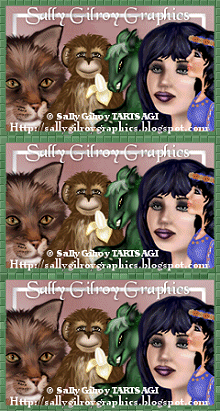
My dear friend Sally Gilroy created this adorable tag using her art alongside my latest kit "Irish Dreams". I just love it .. and has my little man's name on it ! Thanks so much Sally.
Sally's adorable St-Paddy's bear "Blarney" is available at SNC.
Sunday, January 29, 2012
Blah Blah Blah Tut
3:54 PM | Posted by
Shal |
Edit Post
Edit Post

Feel free to use my tutorial as a guide and have fun giving it your own spin.
This tutorial assumes you have a working knowledge of PSP.
Needed Supplies :
Tube of Choice .. I am using the work of Simona Candini which you must have a license to use. Please do not use her work without purchasing through SNC here.
Scrap Kit of Choice .. I have used a great PTU kit from Alika's Scraps called "Blah Blah Blah" which can be purchased here.
Mask of Choice .. I have used WSL_Mask362 which can be downloaded here.
Font of Choice .. Rock It
Let's get started
New image 600x600 and floodfill with white. New raster layer, select all, copy and paste Paper 12, select none. New mask layer from image, WSL_Mask260, invert transparency unchecked, and merge group.
Copy and paste Element 67, resize 65% & drop shadow. I have used 2/2/40/4 throughout. Position top left hand corner. Repeat with Element 70, resizing 50% & position in the centre of your first scribble.
Copy and paste Element 58 & resize 65%. Position bottom right hand corner. Layer duplicate and move to the bottom left hand corner. Repeat with Element 55.
Copy and paste Element 51, resize 50% & drop shadow. Position top right hand corner.
Copy and paste Element 14. Using your magic wand, select the center portion of your frame (inner ring), selections modify/expand 3, copy and paste your image, resize as necessary, selections invert and hit delete. Select none.
Using your magic wand, select this time the larger area of your frame (outer ring), selections modify/expand 3, copy and paste Paper 5, resize 65%, selections invert and hit delete. Select none & drop shadow your frame.
Copy and paste Element 25, resize 80% & drop shadow. Position bottom right hand corner of your frame.
Copy and paste Element 63, resize 50% & drop shadow. Position on the left hand side of your frame.
Copy and paste Element 47, resize 65% & drop shadow. Position bottom left hand corner of your frame.
Copy and paste Element 99, rotate left 45 & drop shadow. Position bottom left hand corner.
Copy and paste Element 104, resize 50% & drop shadow. Position top right hand corner.
Copy and paste Element 87, resize 50% & drop shadow. Position bottom right hand corner. Repeat with Element 75, resizing 65% and position next to your first flower.
Copy and paste Element 55, resize 65% & drop shadow. Position on top of your flowers.
Copy and paste Element 11, resize 50% & drop shadow. Position top left hand corner.
X out white background, merge visible. Open white background, resize to your liking (I have used 500x500).
Add copyright and name on your tag. I have used Rock It, Size 30, Color #202020 and then added a size 3 fat white gradient glow & then drop shadow.
Save and you are done.
I hope you have enjoyed my tutorial.
Pls feel free to experiment and use my tutorial as a guide.
This tutorial assumes you have a working knowledge of PSP.
Needed Supplies :
Tube of Choice .. I am using the work of Simona Candini which you must have a license to use. Please do not use her work without purchasing through SNC here.
Scrap Kit of Choice .. I have used a great PTU kit from Alika's Scraps called "Blah Blah Blah" which can be purchased here.
Mask of Choice .. I have used WSL_Mask362 which can be downloaded here.
Font of Choice .. Rock It
Let's get started
New image 600x600 and floodfill with white. New raster layer, select all, copy and paste Paper 12, select none. New mask layer from image, WSL_Mask260, invert transparency unchecked, and merge group.
Copy and paste Element 67, resize 65% & drop shadow. I have used 2/2/40/4 throughout. Position top left hand corner. Repeat with Element 70, resizing 50% & position in the centre of your first scribble.
Copy and paste Element 58 & resize 65%. Position bottom right hand corner. Layer duplicate and move to the bottom left hand corner. Repeat with Element 55.
Copy and paste Element 51, resize 50% & drop shadow. Position top right hand corner.
Copy and paste Element 14. Using your magic wand, select the center portion of your frame (inner ring), selections modify/expand 3, copy and paste your image, resize as necessary, selections invert and hit delete. Select none.
Using your magic wand, select this time the larger area of your frame (outer ring), selections modify/expand 3, copy and paste Paper 5, resize 65%, selections invert and hit delete. Select none & drop shadow your frame.
Copy and paste Element 25, resize 80% & drop shadow. Position bottom right hand corner of your frame.
Copy and paste Element 63, resize 50% & drop shadow. Position on the left hand side of your frame.
Copy and paste Element 47, resize 65% & drop shadow. Position bottom left hand corner of your frame.
Copy and paste Element 99, rotate left 45 & drop shadow. Position bottom left hand corner.
Copy and paste Element 104, resize 50% & drop shadow. Position top right hand corner.
Copy and paste Element 87, resize 50% & drop shadow. Position bottom right hand corner. Repeat with Element 75, resizing 65% and position next to your first flower.
Copy and paste Element 55, resize 65% & drop shadow. Position on top of your flowers.
Copy and paste Element 11, resize 50% & drop shadow. Position top left hand corner.
X out white background, merge visible. Open white background, resize to your liking (I have used 500x500).
Add copyright and name on your tag. I have used Rock It, Size 30, Color #202020 and then added a size 3 fat white gradient glow & then drop shadow.
Save and you are done.
I hope you have enjoyed my tutorial.
Pls feel free to experiment and use my tutorial as a guide.
Irish Dreams Tagger Size Kit & Specially Priced St-Paddy's Day Bundle
6:39 AM | Posted by
Shal |
Edit Post
Edit Post

Irish Dreams Tagger Size Kit
The Luck of the Irish is near .... and I have a special Irish themed kit for you.
"Irish Dreams" contains 30 papers (800x800 in size) & 92 elements. Elements included beaded ropes, bows, buttons, charms, clover sprays, doodles, frames, hats, ribbons, strings and a variety of St-Patrick's day themed elements that include pots of gold, word art and oodles of shamrock goodies ! Don't forget the adorable little Irish lass !
Enjoy the luck of the irish !
Enjoy the luck of the irish !

St-Patrick's Day Bundle
In this specially priced bundle, you will receive my first 2 Irish themed tagger size kits "Irish Gold" & "Irish Cream".
Forever In My Heart Tut
4:57 AM | Posted by
Shal |
Edit Post
Edit Post

Feel free to use my tutorial as a guide and have fun giving it your own spin.
This tutorial assumes you have a working knowledge of PSP.
Needed Supplies :
Tube of Choice .. I am using the work of Michi Art which you must have a license to use. Please do not use her work without purchasing through SNC here.
Scrap Kit of Choice .. I have used a great PTU kit from KnC Scrapz called "Dark Romance" which can be purchased here.
Mask of Choice .. I have used WSL_Mask362 which can be downloaded here.
Font of Choice .. Carattere Italic
Let's get started
New image 600x600 and floodfill with white. New raster layer, select all, copy and paste Paper 1, select none. New mask layer from image, WSL_Mask362, invert transparency unchecked, and merge group.
Copy and paste Dots, resize 40% & drop shadow. I have used 2/2/40/4 throughout.
Copy and paste Paper Heart & resize 85%. Using your magic wand, select the center portion of your frame, selections modify/expand 5, copy and paste Paper 2, resize 65%, selections invert and hit delete. Select none & drop shadow your frame.
Copy and paste Window, resize 60% & drop shadow.
Copy and paste Branch 2, resize 40% & drop shadow. Position bottom right hand corner of your frame.
Copy and paste Bow 1, resize 50% & drop shadow. Position top left hand corner of your frame. Copy and paste String, resize 65% & drop shadow. Position top right hand corner.
Copy and paste your tube, resize as necessary, drop shadow and position so it appears to be sitting on the window.
Copy and paste Ribbon 3, resize 55% & drop shadow. Position along the bottom.
Copy and paste Ribbon 1, resize 40% & drop shadow. Position bottom right hand corner at the base of your branch stem.
Copy and paste Sequins and resize 75%. Position along the bottom on the left hand side. Layer duplicate, mirror and position along the bottom on the right hand side, just a bit below your first row of sequins.
Copy and paste Roses, resize 50% twice & drop shadow. Position on your ribbon.
Copy and paste Hearts, resize 50% & drop shadow. Position bottom left hand corner.
Copy and paste Word Art 2, resize 65% & I then added a size 3 fat white gradient glow followed by drop shadow. Position top right hand corner.
X out white background, merge visible. Open white background, resize to your liking (I have used 500x500).
Add copyright and name on your tag. I have used Carattere Italic, Size 60, Color Black and then added the same gradient glow, & drop shadow as with the word art.
Save and you are done.
I hope you have enjoyed my tutorial.
Pls feel free to experiment and use my tutorial as a guide.
This tutorial assumes you have a working knowledge of PSP.
Needed Supplies :
Tube of Choice .. I am using the work of Michi Art which you must have a license to use. Please do not use her work without purchasing through SNC here.
Scrap Kit of Choice .. I have used a great PTU kit from KnC Scrapz called "Dark Romance" which can be purchased here.
Mask of Choice .. I have used WSL_Mask362 which can be downloaded here.
Font of Choice .. Carattere Italic
Let's get started
New image 600x600 and floodfill with white. New raster layer, select all, copy and paste Paper 1, select none. New mask layer from image, WSL_Mask362, invert transparency unchecked, and merge group.
Copy and paste Dots, resize 40% & drop shadow. I have used 2/2/40/4 throughout.
Copy and paste Paper Heart & resize 85%. Using your magic wand, select the center portion of your frame, selections modify/expand 5, copy and paste Paper 2, resize 65%, selections invert and hit delete. Select none & drop shadow your frame.
Copy and paste Window, resize 60% & drop shadow.
Copy and paste Branch 2, resize 40% & drop shadow. Position bottom right hand corner of your frame.
Copy and paste Bow 1, resize 50% & drop shadow. Position top left hand corner of your frame. Copy and paste String, resize 65% & drop shadow. Position top right hand corner.
Copy and paste your tube, resize as necessary, drop shadow and position so it appears to be sitting on the window.
Copy and paste Ribbon 3, resize 55% & drop shadow. Position along the bottom.
Copy and paste Ribbon 1, resize 40% & drop shadow. Position bottom right hand corner at the base of your branch stem.
Copy and paste Sequins and resize 75%. Position along the bottom on the left hand side. Layer duplicate, mirror and position along the bottom on the right hand side, just a bit below your first row of sequins.
Copy and paste Roses, resize 50% twice & drop shadow. Position on your ribbon.
Copy and paste Hearts, resize 50% & drop shadow. Position bottom left hand corner.
Copy and paste Word Art 2, resize 65% & I then added a size 3 fat white gradient glow followed by drop shadow. Position top right hand corner.
X out white background, merge visible. Open white background, resize to your liking (I have used 500x500).
Add copyright and name on your tag. I have used Carattere Italic, Size 60, Color Black and then added the same gradient glow, & drop shadow as with the word art.
Save and you are done.
I hope you have enjoyed my tutorial.
Pls feel free to experiment and use my tutorial as a guide.
Sunday, January 22, 2012
Kissing A Redhead Tut
4:59 AM | Posted by
Shal |
Edit Post
Edit Post

Feel free to use my tutorial as a guide and have fun giving it your own spin.
This tutorial assumes you have a working knowledge of PSP.
Needed Supplies :
Tube of Choice .. I am using the work of Barbara Jensen which you must have a license to use. Please do not use her work without purchasing through SATC here.
Scrap Kit of Choice .. I have used a great PTU kit from Tootypup called "Love Letters" which can be purchased here.
Mask of Choice .. I have used WSL_Mask363 which can be downloaded here.
Word art of Choice .. I have used word art by Alika which can be downloaded here.
Font of Choice .. TheNautiGal ROB
Let's get started
New image 600x600 and floodfill with white. New raster layer, select all, copy and paste Paper 6, select none. New mask layer from image, WSL_Mask363, invert transparency unchecked, and merge group. Resize 105%.
Copy and paste Deco 2, resize 50% & drop shadow. I have used 2/2/40/4 throughout. Position bottom left hand corner.
Layer duplicate, image mirror/flip.
Copy and paste Frame Plain 3 & resize 50%. Using your magic wand, select the center portion of your frame, selections modify/expand 5, copy and paste Paper 6, selections invert and hit delete. Select none & drop shadow your frame.
Copy and paste Heart Cluster 8, resize 50% & drop shadow. Position top left hand corner. Using your selection tool, select the bottom part of the heart cluster, edit/cut, select none, paste as a new layer. Position top right hand corner.
Copy and paste Heart 10, resize 30% & drop shadow. Position on the left hand side of your frame. Layer duplicate and move on the right hand side.
Copy and paste Love Doves 2, resize 50% & drop shadow. Position bottom left hand corner.
Copy and paste Deco 5, resize 40% & drop shadow. Position bottom right hand corner.
Copy and paste your tube, resize as necessary & drop shadow.
Copy and paste word art & resize 75%. I then added the following gradient glow. Select all/float/defloat/modify/contract 4/selections invert and then adjust/add remove noise/add noise/monochrome uniform checked/65% & then drop shadow.
This tutorial assumes you have a working knowledge of PSP.
Needed Supplies :
Tube of Choice .. I am using the work of Barbara Jensen which you must have a license to use. Please do not use her work without purchasing through SATC here.
Scrap Kit of Choice .. I have used a great PTU kit from Tootypup called "Love Letters" which can be purchased here.
Mask of Choice .. I have used WSL_Mask363 which can be downloaded here.
Word art of Choice .. I have used word art by Alika which can be downloaded here.
Font of Choice .. TheNautiGal ROB
Let's get started
New image 600x600 and floodfill with white. New raster layer, select all, copy and paste Paper 6, select none. New mask layer from image, WSL_Mask363, invert transparency unchecked, and merge group. Resize 105%.
Copy and paste Deco 2, resize 50% & drop shadow. I have used 2/2/40/4 throughout. Position bottom left hand corner.
Layer duplicate, image mirror/flip.
Copy and paste Frame Plain 3 & resize 50%. Using your magic wand, select the center portion of your frame, selections modify/expand 5, copy and paste Paper 6, selections invert and hit delete. Select none & drop shadow your frame.
Copy and paste Heart Cluster 8, resize 50% & drop shadow. Position top left hand corner. Using your selection tool, select the bottom part of the heart cluster, edit/cut, select none, paste as a new layer. Position top right hand corner.
Copy and paste Heart 10, resize 30% & drop shadow. Position on the left hand side of your frame. Layer duplicate and move on the right hand side.
Copy and paste Love Doves 2, resize 50% & drop shadow. Position bottom left hand corner.
Copy and paste Deco 5, resize 40% & drop shadow. Position bottom right hand corner.
Copy and paste your tube, resize as necessary & drop shadow.
Copy and paste word art & resize 75%. I then added the following gradient glow. Select all/float/defloat/modify/contract 4/selections invert and then adjust/add remove noise/add noise/monochrome uniform checked/65% & then drop shadow.

X out white background, merge visible. Open white background, resize to your liking (I have used 500x500).
Add copyright and name on your tag. I have used The NautiGal ROB, Size 72, Color black and then added the same gradient glow, noise & drop shadow as with the word art.
Save and you are done.
I hope you have enjoyed my tutorial.
Pls feel free to experiment and use my tutorial as a guide.
Saturday, January 21, 2012
I Heart You Tut
6:29 PM | Posted by
Shal |
Edit Post
Edit Post

Feel free to use my tutorial as a guide and have fun giving it your own spin.
This tutorial assumes you have a working knowledge of PSP.
Needed Supplies :
Tube of Choice .. I am using the work of Erica Leigh Currey which you must have a license to use. Please do not use her work without purchasing through The PSP Project here.
Scrap Kit of Choice .. I have used a great PTU kit from Desirena Designs called "Rainbow Valentine" which can be purchased here.
Template of Choice .. I have used Template 1 by Tamie which you can be download here.
Mask of Choice .. I have used WSL_Mask84 which can be downloaded here.
Font of Choice .. 2 Peas Typo
Let's get started
Open your template in PSP & delete credits, raster 12, 10, 7, 6, 5, 4 & 2 layers. Depending on the kit you are using, you may choose to keep the heart layers instead.
New raster layer just above your background layer (raster 3). Select all, copy and paste into selection Paper 9. Select none. New mask layer from image, WSL_Mask84, invert transparency unchecked. Merge group, resize 110%. Layer duplicate/mirror/flip.
Select Raster 9 layer, select all/float/defloat, copy and paste Paper 7, selections invert and hit delete. Selections invert, selections/modify/expand 6, new raster layer below your paper layer, floodfill with #5f1a5d, adjust/add remove noise/add noise/monochrome uniform checked/50%, select none & then drop shadow. I have used 2/2/40/4 throughout. Delete original Raster 9 layer.
Select Raster 11 layer, select all/float/defloat, copy and paste Paper 9, selections invert and hit delete. Select none, drop shadow and delete original Raster 11 layer.
Select Raster 8 layer, select all/float/defloat, copy and paste Paper 4, selections invert and hit delete. Selections invert, selections/modify/expand 6, new raster layer below your paper layer, floodfill with #f57198, adjust/add remove noise/add noise/monochrome uniform checked/50%, select none & then drop shadow. Delete original Raster 8 layer.
Select Raster 13 layer, select all/float/defloat, copy and paste Paper 6, selections invert and hit delete. Selections invert, selections/modify expand 6, new raster layer below your paper layer, floodfill with #ac2756, adjust/add remove noise/add noise/monochrome uniform checked/50%, select none & then drop shadow. Delete original Raster 13 layer.
Select Raster 1 layer, select all/float/defloat, copy and paste Paper 2, selections invert and hit delete. Selections invert, selections/modify/expand 6, new raster layer below your paper layer, floodfill with #5f1a5d, adjust/add remove noise/add noise/monochrome uniform checked/50%, select none & then drop shadow. Delete original Raster 1 layer.
Select Raster 6 layer, select all/float/defloat, copy and paste Paper 1, selections invert and hit delete. Select none and delete original Raster 6 layer.
Select Raster 7 layer, adjust color balance/manual color correction from white to #5d1a5f. Add the same noise as used before and then drop shadow.
Copy and paste Sparkles & drop shadow. Position on the left hand side. Layer duplicate & mirror.
Copy and paste Bow 4, resize 75% & drop shadow. Position bottom right hand corner.
Copy and paste Mouse, resize 50% & drop shadow. Position on the right hand side. Copy and paste Balloons, resize 75% & drop shadow. Position on the top right hand side so it appears the mouse is hanging from the balloons.
Copy and paste Cupcake, resize 65% & drop shadow. Position bottom left hand corner. Repeat with Stripper pole and position next to your cupcake.
Copy and paste Ladder 2, resize 75% & drop shadow. Position a little to the right of centre.
Copy and paste Bling Hearts 1, resize 75% & then drop shadow. Position along the bottom. Layer duplicate/flip.
Copy and paste I Heart You, resize 50% & drop shadow. Position top left hand corner.
Copy and paste your tube & resize as necessary. To give my tube a little more pop with all the bright colors, I added a size 3 fat color #f07091 gradient glow twice & then drop shadow.
X out white background, merge visible. Open white background, resize to your liking (I have used a width of 600).
Add copyright and name on your tag. I used 2 Peas Typo, size 40, color #ad2656 and then added the same noise as used before followed by a size 3 fat white gradient glow and drop shadow.
Save and you are done.
I hope you have enjoyed my tutorial. Pls feel free to experiment and use my tutorial as a guide.
This tutorial assumes you have a working knowledge of PSP.
Needed Supplies :
Tube of Choice .. I am using the work of Erica Leigh Currey which you must have a license to use. Please do not use her work without purchasing through The PSP Project here.
Scrap Kit of Choice .. I have used a great PTU kit from Desirena Designs called "Rainbow Valentine" which can be purchased here.
Template of Choice .. I have used Template 1 by Tamie which you can be download here.
Mask of Choice .. I have used WSL_Mask84 which can be downloaded here.
Font of Choice .. 2 Peas Typo
Let's get started
Open your template in PSP & delete credits, raster 12, 10, 7, 6, 5, 4 & 2 layers. Depending on the kit you are using, you may choose to keep the heart layers instead.
New raster layer just above your background layer (raster 3). Select all, copy and paste into selection Paper 9. Select none. New mask layer from image, WSL_Mask84, invert transparency unchecked. Merge group, resize 110%. Layer duplicate/mirror/flip.
Select Raster 9 layer, select all/float/defloat, copy and paste Paper 7, selections invert and hit delete. Selections invert, selections/modify/expand 6, new raster layer below your paper layer, floodfill with #5f1a5d, adjust/add remove noise/add noise/monochrome uniform checked/50%, select none & then drop shadow. I have used 2/2/40/4 throughout. Delete original Raster 9 layer.
Select Raster 11 layer, select all/float/defloat, copy and paste Paper 9, selections invert and hit delete. Select none, drop shadow and delete original Raster 11 layer.
Select Raster 8 layer, select all/float/defloat, copy and paste Paper 4, selections invert and hit delete. Selections invert, selections/modify/expand 6, new raster layer below your paper layer, floodfill with #f57198, adjust/add remove noise/add noise/monochrome uniform checked/50%, select none & then drop shadow. Delete original Raster 8 layer.
Select Raster 13 layer, select all/float/defloat, copy and paste Paper 6, selections invert and hit delete. Selections invert, selections/modify expand 6, new raster layer below your paper layer, floodfill with #ac2756, adjust/add remove noise/add noise/monochrome uniform checked/50%, select none & then drop shadow. Delete original Raster 13 layer.
Select Raster 1 layer, select all/float/defloat, copy and paste Paper 2, selections invert and hit delete. Selections invert, selections/modify/expand 6, new raster layer below your paper layer, floodfill with #5f1a5d, adjust/add remove noise/add noise/monochrome uniform checked/50%, select none & then drop shadow. Delete original Raster 1 layer.
Select Raster 6 layer, select all/float/defloat, copy and paste Paper 1, selections invert and hit delete. Select none and delete original Raster 6 layer.
Select Raster 7 layer, adjust color balance/manual color correction from white to #5d1a5f. Add the same noise as used before and then drop shadow.
Copy and paste Sparkles & drop shadow. Position on the left hand side. Layer duplicate & mirror.
Copy and paste Bow 4, resize 75% & drop shadow. Position bottom right hand corner.
Copy and paste Mouse, resize 50% & drop shadow. Position on the right hand side. Copy and paste Balloons, resize 75% & drop shadow. Position on the top right hand side so it appears the mouse is hanging from the balloons.
Copy and paste Cupcake, resize 65% & drop shadow. Position bottom left hand corner. Repeat with Stripper pole and position next to your cupcake.
Copy and paste Ladder 2, resize 75% & drop shadow. Position a little to the right of centre.
Copy and paste Bling Hearts 1, resize 75% & then drop shadow. Position along the bottom. Layer duplicate/flip.
Copy and paste I Heart You, resize 50% & drop shadow. Position top left hand corner.
Copy and paste your tube & resize as necessary. To give my tube a little more pop with all the bright colors, I added a size 3 fat color #f07091 gradient glow twice & then drop shadow.
X out white background, merge visible. Open white background, resize to your liking (I have used a width of 600).
Add copyright and name on your tag. I used 2 Peas Typo, size 40, color #ad2656 and then added the same noise as used before followed by a size 3 fat white gradient glow and drop shadow.
Save and you are done.
I hope you have enjoyed my tutorial. Pls feel free to experiment and use my tutorial as a guide.
Subscribe to:
Posts (Atom)
Kits & Tuts





Blogs I Love